
How to Budget Without Linking Your Bank Account: A Practical Guide
For years, the “gold standard” of budgeting has been automation. Link your bank accounts, sync your credit cards, and let an algorithm tell you how you’re doing.
But for many people, this “set it and forget it” approach has a major flaw: it’s too easy to forget. When your budget lives on autopilot, you stop being the pilot. You only realize where your money went when a notification pops up three days later.
The goal of budgeting isn't perfect accounting—it’s awareness. Here's how to take back control.
If you're looking for specific apps that work without bank sync, I put together a full comparison of the best expense tracker apps for iPhone—including which ones respect your privacy.
The Case for “Intentional Friction”
In most parts of our lives, friction is unwanted. We want fewer clicks, faster checkouts, and smoother everything. But in personal finance, a little friction is actually your best friend.
When an app automatically categorizes a purchase days after you made it, you’ve already moved on. The coffee, the impulse buy, the subscription you forgot to cancel—they all blur together into a monthly report you’ll glance at once and never open again.
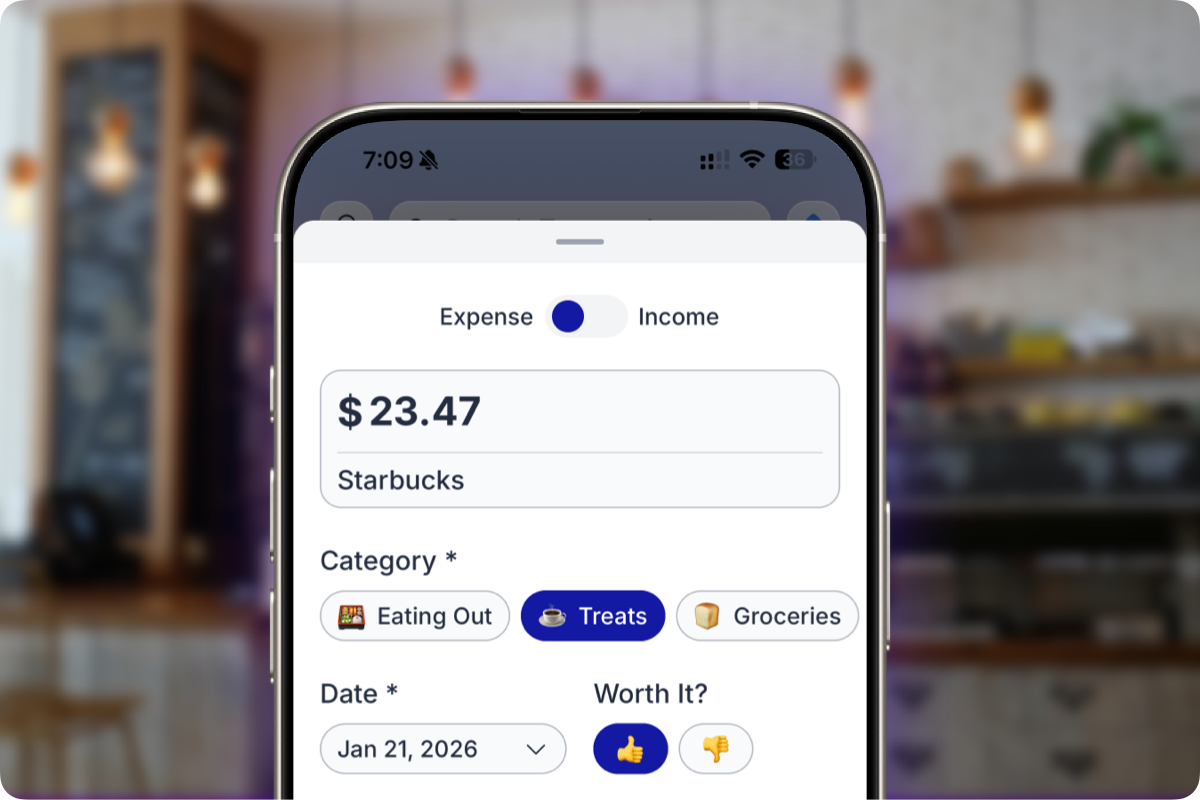
Manual entry changes the dynamic. When you log an expense at the moment of purchase, you aren't just recording data—you’re making a small, conscious decision to pay attention.
Researchers at Georgetown University call this “financial mindfulness.” Their research suggests that people who actively engage with their finances tend to make better financial decisions and feel less stress. The key wasn’t obsessive tracking; it was simply the act of paying attention.
The Privacy Problem Nobody Talks About
There is another reason to skip the bank link, and it’s more practical than philosophical.
Most people don't think twice when an app asks for bank access. But when you connect a budgeting app to your bank, you are often handing over your credentials to a third party. This is part of why the Mint shutdown left so many people scrambling—they'd handed over years of financial data to a service that suddenly didn't exist.
Beyond the risk of a service disappearing, there is the “fine print” problem. Many major banks, including CIBC, explicitly warn that sharing your online banking credentials with third parties can be a breach of your electronic access agreement. If something goes wrong, the bank may not be responsible for any resulting harm.
When your budget app works entirely offline, none of this applies. Your credentials stay with your bank. Your history stays on your phone. There’s nothing to revoke because there was never anything to share.
How to Actually Make Manual Budgeting Stick
Manual budgeting sounds tedious until you build the habit:
- Log at the Point of Sale. While you’re standing at the register or waiting for your card to process, open the app and log it. The transaction is fresh, and it takes less than three seconds.
- Use Categories That Make Sense to You. Automated apps often guess wrong. Since you're logging it yourself, you can label it exactly how you'd describe it to a friend.
- The 5-Minute Sunday Review. Once a week, spend five minutes scrolling through your entries. Missed a coffee? Check your bank app and add it in. You’re not balancing a checkbook—you’re just staying in touch with your money.
The goal isn't to capture every single penny with 100% accuracy. It’s to build the habit of noticing.
Is This for Everyone?
Let’s be honest: If you love high-level charts and seeing your net worth update in real-time, manual entry might feel like a downgrade.
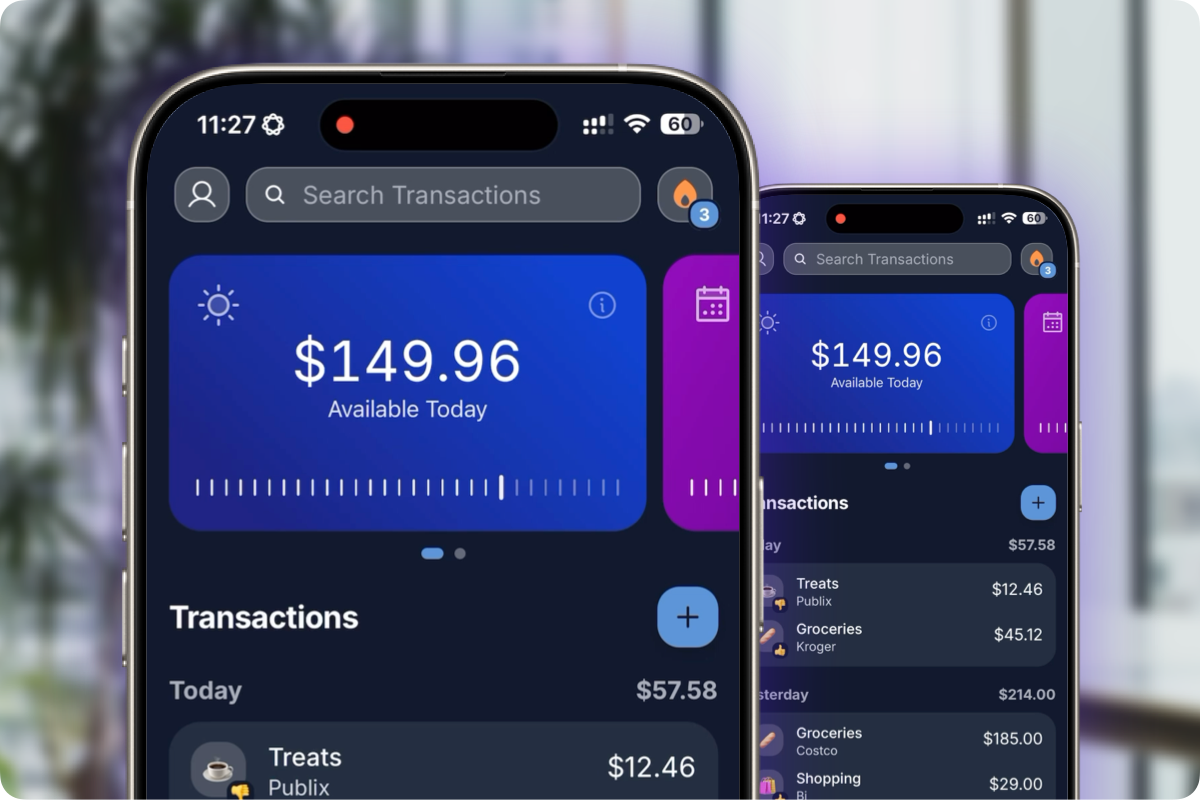
But if you’ve tried those apps and found yourself ignoring the notifications—or worse, spending more time “fixing” miscategorized bank syncs than actually budgeting—this is for you. Manual entry works best for people who want a clear answer to one simple question: “How much can I safely spend today without screwing up the rest of the month?”
Why I Built BentoMoney This Way
When I built BentoMoney, I made a deliberate choice: no bank connections, no cloud sync, and no account creation.
Here is how BentoMoney does it without a bank connection.
I’ve written before about why I chose this path, but the short version is that I wanted a tool that gives you one useful number—your daily spending limit—without requiring you to fix broken connections or interpret complex charts.
Logging a transaction is fast, the app works entirely offline, and because there is no sync, there is nothing to break.
If you’re curious, BentoMoney has a 7-day free trial. But even if you don't use the app, I’d encourage you to try manual tracking for just one week. You might be surprised how much you notice when you're the one in control.
Common Questions
Is manual entry actually faster than automatic sync?
For logging a single transaction, yes. You tap, enter the amount, and you're done. With sync-based apps, you’re often stuck waiting for data to refresh or correcting a “guess” the algorithm made.
What if I forget to log something?
That's what the weekly review is for. Check your bank app, add anything you missed, and move on. This is about building a habit, not keeping a perfect ledger.
Can I get my data out?
Yes. BentoMoney lets you export your data to a CSV file whenever you want. Your data belongs to you.