
How to keep track of expenses on iPhone without making it a chore
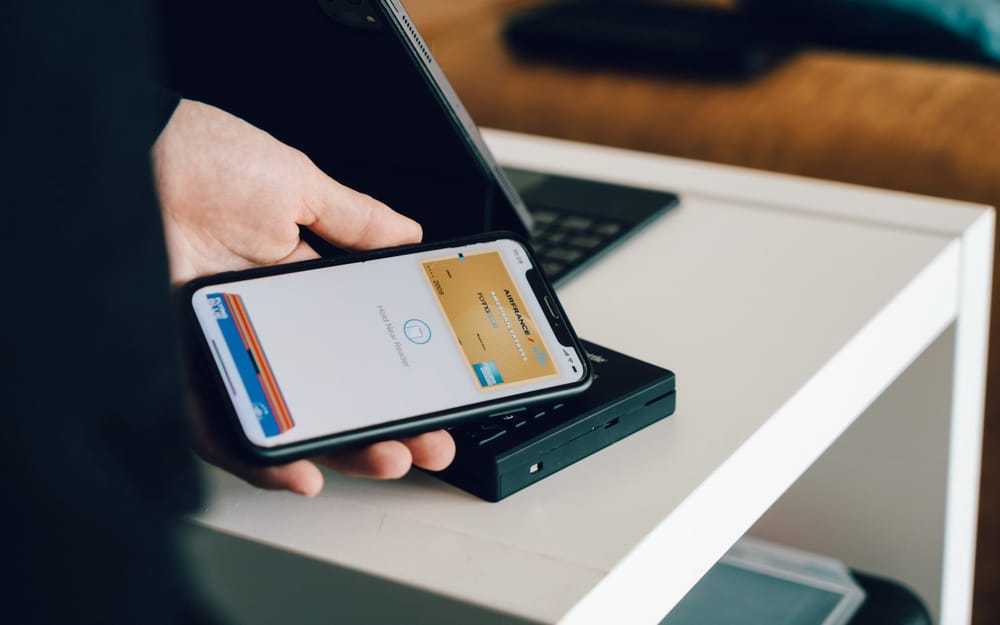
You buy lunch.
Your iPhone is already in your hand. The receipt is sitting beside the tray. You know exactly what you spent.
This is the perfect moment to record the expense.
Wait until tonight, and the amount becomes “about fifteen dollars.” Wait until the weekend, and lunch disappears into a vague collection of card payments you no longer remember making.
The easiest way to keep track of expenses on iPhone is not to build the most sophisticated budgeting system. It is to make recording a purchase so quick that you can do it before putting your phone back in your pocket.
This guide explains the different ways to track your expenses, what information is actually worth recording, and how to choose a method you will still use next month.
What is the simplest way to track your expenses on iPhone?
The simplest method has three parts:
- Record the amount soon after spending it.
- Give the expense a useful category.
- Review the results regularly.
You can do this in Notes, a spreadsheet, a dedicated expense tracker app, or even a paper notebook. The tool matters less than the gap between spending and recording. The longer that gap becomes, the more likely you are to forget small purchases or stop tracking altogether.
That said, your iPhone has one considerable advantage over paper or a desktop spreadsheet: it is usually already with you when you spend money. A good tracker app takes advantage of that moment. Open it, enter the amount, choose a category, and move on.
The best system is not the one with the most detailed dashboard. It is the one that makes the useful action easy enough to repeat.
Which expenses should you actually record?
Start with money that leaves your control.
That includes groceries, restaurants, gas, entertainment, household purchases, online orders, and the small expenses that seem too insignificant to matter. A six-dollar coffee will not ruin a budget. Twenty purchases you forgot making can make your monthly expenses surprisingly difficult to explain.
If you use cash, there is one extra trap: do not count both the ATM withdrawal and the purchases you make with it.
You should also account for fixed expenses such as rent, insurance, utilities, and recurring expenses. These may not require daily entry if your budget app already includes them in your spending plan, but they still affect how much money is truly available.
Subscriptions deserve particular attention. They are easy to overlook because no decision is required when the payment happens. The charge simply appears. Recording each subscription as a recurring bill keeps it visible before it quietly becomes part of the furniture.
Income matters too, but expense tracking and income tracking serve slightly different purposes. Recording income and expenses gives you a complete financial picture. Recording only variable expenses can still be useful when your immediate goal is learning where your everyday money goes.
Can you use a spreadsheet as an expense tracker?
Absolutely.
A spreadsheet is flexible, familiar, and easy to customize. You can create columns for the date, amount, merchant, category, payment method, and notes. Add a few formulas, and it can calculate totals or create a breakdown of your spending categories.
For some people, that control is exactly the appeal. A spreadsheet does not tell you how to organize your finances. You decide what matters.
The inconvenience begins when the spreadsheet lives on a computer and the expenses happen somewhere else.
You buy groceries. You tell yourself you will enter the receipt when you get home. Then you cook dinner, answer a message, and forget. By the end of the week, you have a pocket full of receipts and several card transactions with merchant names that resemble license plates.
Using a spreadsheet on iPhone helps, but editing cells in a full spreadsheet app can still feel like administrative work. You can create a shortcut on your Home Screen or use the Shortcuts app to open the file more quickly, but you still need to find the correct row and enter the information.
A spreadsheet is a good way to track spending when you enjoy maintaining one. It is less effective when the spreadsheet becomes a place where expenses wait to be entered later.
Should an expense tracker sync with your bank accounts?
Automatic sync sounds like the obvious solution.
Connect your bank accounts, wait for transactions to appear, and let the app categorize everything. No receipt pile. No manual entry. No trying to remember what you bought last Tuesday.
That convenience is real, but it changes the purpose of expense tracking.
When transactions arrive automatically, tracking becomes something you review after spending. When you record an expense yourself, tracking becomes part of the spending decision. You see the amount leave your budget while the purchase is still fresh.
Bank sync can also involve delays, duplicate transactions, or categories that need correction. A restaurant inside a hotel may appear as travel. A supermarket purchase could include groceries, medicine, and household items, but the tracker sees only one merchant.
Privacy is another consideration. Connecting financial accounts typically requires sharing information with the app or a third-party connection provider. That does not automatically make bank-connected apps unsafe, but you should understand what data is collected and why.
Check the App Privacy section before downloading an iOS app. Look beyond the marketing language and see whether financial data, identifiers, purchases, or usage information may be collected or linked to you.
There is no universal winner between automatic and manual expense tracking. Sync is useful when convenience and a broad financial dashboard matter most. Manual tracking is useful when you want immediate awareness, clean categories, and no bank to connect.
How should you categorize your expenses?
It is tempting to create a category for everything.
Groceries. Restaurants. Coffee. Fast food. Work lunches. Weekend lunches. Sandwiches purchased during mild emotional distress.
Soon, choosing a category takes longer than recording the expense.
Start with a small group that reflects decisions you might realistically change:
- Food and dining
- Transportation
- Shopping
- Entertainment
- Health
- Household
- Other
You can add detail later when a category becomes too broad to be useful. For example, separating groceries from restaurants makes sense if you are trying to understand food spending. Separating Italian restaurants from Thai restaurants probably does not.
The point of categorization is not to produce a perfect historical record. It is to help you see your spending patterns.
Ask what you hope to learn. Are you spending more on food than you realized? Has shopping changed from month to month? Are subscription charges consuming more of the budget? Categories should help answer those questions.
A method that keeps your data clean is better than one that creates endless maintenance. When you categorize your expenses consistently, even a simple monthly view can show where your money is going.
Do receipts and iPhone shortcuts make expense tracking easier?
Receipts are useful when they solve a specific problem.
You might keep a receipt because you may return an item, need proof for a warranty, or must document a business purchase. You do not need to photograph every coffee receipt simply because your mobile app allows it.
For personal expense tracking, the amount and category are usually enough. If you need more context, add a short note such as “birthday gift” or “car repair.” That will be more helpful six months later than a photograph of a faded receipt.
People who need to track receipts for taxes or reimbursements have different requirements. They may need merchant information, purchase dates, tax amounts, and images of the original documents. In that case, choose a finance tracker built for record keeping rather than a simple personal spending tracker.
You can also use the iPhone Shortcuts app to reduce friction. A shortcut can open your spreadsheet, launch a note, or place your chosen tracking tool on the Home Screen. Personal automations can create reminders at a particular time or location.
But be careful not to spend three hours creating a shortcut that saves eight seconds.
The iPhone already knows how to open an app quickly. Put your tracker somewhere visible and record the expense while you still remember it. That simple shortcut is often enough.
How do you choose the best expense tracker app for iPhone?
Start with the problem you are trying to solve.
If you want a side-by-side comparison, I also reviewed the best expense tracker apps for iPhone in 2026.
Do you want a historical list of transactions? A complete money manager? A zero-based budgeting system? A tool for business expenses? Or do you mainly want to know how much you can safely spend?
Those are different jobs.
Apps like Quicken or other full money management platforms may be useful when you need multiple accounts, investments, reports, and a broad view of personal finance. An every-dollar budgeting system may be a better fit when you want to assign every dollar of income a specific job. Envelope budgeting works well when you prefer firm limits for individual spending categories.
A simple expense tracker is better when the main goal is awareness. It should help you track how much you spent without turning every purchase into an accounting exercise.
Before downloading an expense tracker app from the App Store, check:
- Whether it requires bank sync
- How quickly you can add an expense
- Whether categories are easy to manage
- Whether it supports your currency
- What the subscription or monthly fee includes
- Whether your financial data stays on your device
- Whether you can export your records
- What its app privacy details disclose
See screenshots before downloading, but do not rely on screenshots alone. Read recent ratings and reviews for recurring complaints. Look for user tips that reveal how the app behaves after the polished onboarding screens disappear.
The best expense tracker is not necessarily the one with the longest feature list. It is the one whose daily workflow matches the way you actually manage money.
How does BentoMoney turn expense tracking into a daily budget?
Most expense tracking apps tell you what already happened.
BentoMoney uses each recorded expense to answer a more immediate question:
How much can I safely spend today?
You enter your income, bills, subscriptions, and savings amount. BentoMoney calculates your Available Today number. When you add an expense, that number updates so you can see where you stand before making the next decision.
For a step-by-step version of that calculation, read how much can I spend today?. It explains why your bank balance is not the same thing as your daily spending number.
Suppose your Available Today amount is $42.
You spend $11 on lunch and record it. The number changes. You do not need to wait until the end of the month to discover whether your spending plan worked. You can adjust while the month is still happening.
BentoMoney also supports one-time amounts with custom dates, including periods that span more than one month. A bonus or temporary income can cover the exact dates it needs to instead of being treated as recurring income. The daily calculation updates for that period without permanently changing your regular monthly plan.
The app is intentionally manual. It does not sync with bank accounts, create an account, or send your financial records to a cloud service. Your data is stored locally on your iPhone.
That means BentoMoney is not trying to be a bookkeeping platform, receipt scanner, or companion app for a large financial ecosystem. It is an iPhone spending tracker with a daily budget calculator.
It is built for the moment when your bank balance says you have money, but some of that money is already reserved for rent, subscriptions, savings, or the rest of the month.
Your bank tells you what you have.
BentoMoney tells you what you can spend today.
Download BentoMoney for iPhone
What if you need to track business expenses or freelance income?
Freelancers often need more than a personal expense tracker.
Business and personal spending should be kept separate, especially when records may be needed for accounting, reimbursement, or tax preparation. You may need to track receipts, mileage, clients, deductible categories, invoices, and expense and income records across multiple accounts.
In that situation, choose a tool designed for business expenses. A personal budget app may help with everyday spending, but it should not be treated as a replacement for accounting software or professional tax advice.
BentoMoney is designed for personal spending clarity. A freelancer could use it for a personal budget after deciding how much income to pay themselves, but it is not a business accounting system.
The distinction matters. The best expense tracker for a household may be completely wrong for someone managing client purchases and quarterly taxes.
How do you make expense tracking stick?
Record the expense before the moment disappears.
Not tonight. Not when the card transaction clears. Not when a monthly statement arrives.
Now.
This does not mean you must become perfect. Missing one purchase does not ruin the month. Add it later if you remember. Estimate it if necessary. Then continue with the next expense.
The habit becomes easier when the process has a visible reward. A list of transactions is accurate, but not particularly motivating. A tracker becomes more useful when it shows how today’s purchase changes the rest of your budget.
Review your monthly expenses occasionally, but do not turn the review into a trial. The goal is not to prove that you spent correctly. It is to notice spending habits while they can still help you make a better decision.
You may discover that restaurants matter less than expected, while small shopping purchases add up quickly. Or that your variable expenses are reasonable, but fixed expenses leave too little room each month.
That is what useful expense tracking does.
It replaces a vague feeling with something you can see.
What should you remember?
- The easiest way to track expenses on iPhone is to record each purchase soon after it happens.
- Start with the amount and a useful category. Add more detail only when it serves a purpose.
- A spreadsheet works well when you genuinely enjoy maintaining it.
- Bank sync provides convenience, while manual tracking creates immediate awareness.
- Use a small number of spending categories you can apply consistently.
- Keep receipts when you need proof, not simply because a tracker supports receipt images.
- Choose an app based on the decision you want it to help you make.
- Use a dedicated business tool when you need accounting, mileage, invoices, or tax records.
- BentoMoney turns each expense into an updated Available Today number.
- The best tracking system is the one you can use in the few seconds after spending.