
Do you need to track every expense? Why I don't record my mortgage payment
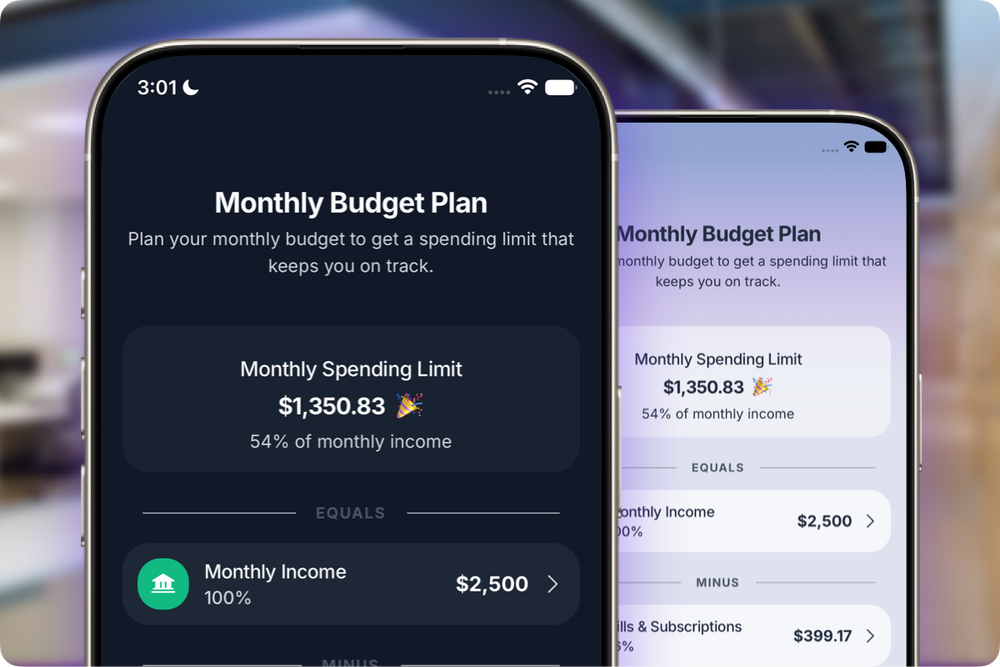
Every month, my mortgage leaves my checking account.
Same amount. Same house. Same mildly unpleasant feeling.
I know it is coming. My budget knows it too. So when the money leaves, I do nothing.
I do not open my app and add it again. I do not categorize it again or hunt for a receipt that never existed. The mortgage was included when I built the plan. Entering it a second time would not improve the picture. Depending on the system, it could count the same money twice.
That does not mean predictable costs should be ignored. They need to be covered before you decide what is safe to spend. But planning a predictable cost and logging a flexible purchase are two different jobs.
This article explains what belongs in your budget, what belongs in your transaction history, and how to make expense tracking less tedious without losing the information that matters.
Do you need to track every expense?
No, at least not in every kind of budget.
You need to account for every important cost that affects how much money is available. That does not mean you must track every expense again after it has already been included in the calculation.
Suppose your net income is $5,000. Your housing costs $1,600, monthly bills and subscriptions are $700, and you set aside $500 for savings. Those amounts belong in the plan. They reduce what remains for groceries, restaurants, gas, shopping, and the rest of your day-to-day life.
Once the $1,600 is removed from the spendable amount, entering it again adds nothing useful. The app already knows that money is unavailable.
This is where budgeting and tracking often get tangled together. A budget looks ahead and reserves money before you use it. Daily logging records what happened. Both are useful, but they do not always need the same entries.
If you want the actual math behind that remaining amount, start with how much can I spend today?. It shows how income, bills, savings, and planned payments turn into one daily spending number.
Why don't I record my mortgage in my app?
My mortgage is predictable. I know the amount, and I know it must be covered. It is not a new decision I make each month while standing in a store. I review and adjust the amount when it changes, which for me is usually about once a year. For other recurring expenses that vary a bit from month to month, I use a realistic average and add roughly 10% on top as a buffer so I am less likely to come up short.
I include it with my fixed expenses, and the plan removes that money before calculating what I can safely spend. When the automatic charge later clears, nothing has changed from the plan's point of view.
The cost was expected. The money was already spoken for.
Adding it again would be like writing a dinner reservation on the calendar, then creating a second appointment when I arrive at the restaurant. The second entry proves I showed up, but it does not help me plan the evening.
Some budgeting apps are built around complete account reconciliation. In those systems, the bank entry may be needed so the ledger matches the account balance. That is a legitimate job. It is simply not the job I designed BentoMoney to do.
I want to know what I can safely spend today. A duplicate housing charge does not help answer that question.
Should fixed expenses be part of your budget?
Absolutely. Fixed expenses usually belong near the beginning of the planning process.
Rent, insurance, recurring debt costs, and a subscription all reduce the amount you can use elsewhere. Leave them out, and the number that looks available is misleading. You may think you have $900 to work with even though $700 is waiting to leave the account.
The clean approach is to enter those monthly expenses once. Update them when the amount changes. If an insurance premium rises or the escrow portion of your mortgage changes, fix the planned amount. It is not really necessary to create another copy each time autopay runs.
Some costs look fixed but are actually variable. Electricity, heating, or a credit card bill may change from month to month. You can use a realistic estimate, update it when the bill arrives, or add the difference as a one-time adjustment. The point is to reserve enough before you spend the rest.
A useful plan protects those obligations first. The ledger does not need to keep reminding you that they exist.
Fixed expenses vs variable spending: what should you track?
The fixed expenses vs variable spending distinction is helpful, but there is an even simpler question:
Has this money already been accounted for in what I am allowed to spend?
If the answer is yes, another entry is usually unnecessary in a spending-guidance app. If the answer is no, log it when it happens.
Groceries belong in daily tracking. So do restaurants, gas, shopping, entertainment, and small expenses that quietly multiply. Those purchases change your current spending power. They can also reveal spending habits that are hard to notice from memory alone.
A streaming monthly fee works differently. If the subscription is already included in the plan, adding the bank charge again creates noise. The same applies to rent, insurance, or money already set aside for an emergency fund.
Cash creates another common trap. An ATM withdrawal moves money from your account to your wallet, but you have not bought anything yet. In the cash expense tracker guide, I explain why logging both the withdrawal and the later purchases can count the same money twice.
Record the purchase that changes the amount available. Skip the duplicate movement that funded it.
Why can tracking every penny make budgeting less useful?
There is a comforting neatness to a complete ledger.
Every penny has a row. Every cent has a category. Every dollar can explain where it went.
Tracking every expense can be useful during a spending audit. It can reveal where your money is going, uncover a forgotten subscription, or highlight habits that cost more than you realized.
But a long-term system needs to earn the time it asks from you.
When expense tracking becomes too demanding, you fall behind. Once the ledger is incomplete, you stop trusting it. Eventually, you may stop tracking altogether.
More detail did not solve the problem. It made the system harder to maintain.
A simpler record often gives you a clearer big picture because you are more likely to keep it current. The goal is not to copy every movement across your accounts. It is to capture the information that changes what you should do next.
Which expenses should you track day to day?
Track expenses you can still influence.
When you buy groceries, order lunch, fill the car, or pick up something at Target that was definitely not on the list, the purchase changes what remains available. Logging it gives you immediate feedback.
This is where tracking your expenses helps. You see the effect while the decision is fresh, rather than several days later when an automatic import finally places it into one of fifteen different categories.
Daily tracking is most useful for discretionary and flexible spending:
- Food and groceries
- Restaurants and coffee
- Gas and transportation
- Shopping and entertainment
- Cash purchases
- One-time costs that were not already planned
You do not have to obsess over every purchase down to the last cent. A forgotten $1.17 is unlikely to destroy your personal finance system. A repeated pattern of $18 lunches might.
The goal is not a perfect history. It is better current spending decisions.
If visible category limits work well for you, the cash stuffing method can help you prioritize spending in problem areas. If you prefer one overall number, track your spending against the amount that remains safe to use.
Both methods create a boundary. Choose the one you will actually check.
Can budgeting apps double-count the same cost?
Yes, although the exact behavior depends on the app.
Imagine that you add $1,600 in housing as a planned cost. The app subtracts it before calculating your flexible amount. Later, you import your checking account history and the same $1,600 appears as an ordinary cost.
If the app does not recognize that both entries refer to the same obligation, it may subtract $3,200.
This can happen with rent, monthly bills, subscriptions, transfers, cash withdrawals, and credit card payments. A bank statement shows that money moved. The budgeting tool still needs to know why it moved and whether it was already reserved.
Some apps match scheduled items to imported records. Others expect you to categorize or exclude transfers. Complete accounting tools may require every item so all balances reconcile.
BentoMoney takes a narrower approach. Regular obligations live in the plan. Flexible purchases live in the spending history. If a CSV import includes bills that are already accounted for, you can remove those entries or ignore them as you continue with a simpler routine.
One real cost should reduce your spendable money once.
When does tracking every transaction make sense?
Sometimes you really do need a complete ledger.
It makes sense when you want to reconcile a checking account, monitor several credit cards, prepare business records, collect reimbursable costs, follow net worth, or give clean information to an accountant. In those cases, the movement of money matters as much as the spending decision.
You may also want to track every single purchase for a month or two when you are trying to understand your money habits. A temporary audit can show whether takeout, subscriptions, or small purchases are costing you a lot more than you assumed.
There is nothing wrong with that level of detail. The question is whether it serves your financial goals.
Different tools are built for different jobs. The best expense tracker apps for iPhone include products for bank syncing, receipt storage, category planning, and simple manual entry. The longest feature list is not automatically the best fit.
Choose a full ledger when you need a full ledger.
Choose a spending guide when you need help deciding whether you can afford dinner tonight.
How can you simplify expense tracking without losing the big picture?
Separate setup from daily use.
During setup, add your net income, fixed expenses, monthly bills, and savings amount. Include the obligations that must be covered before you spend freely. Review your budget when those numbers change, not whenever a familiar charge clears.
During daily use, record the purchases that change what remains available. Keep the entry small: amount, a useful category, and a note only when it adds something. You can use pen and paper, a spreadsheet, or track expenses on your iPhone. The method matters more than the container.
Then review the broader picture occasionally. Look at spending patterns, different categories, and month-to-month changes. Ask whether current spending reflects your priorities. Adjust the plan instead of adding more clerical work.
A manageable routine looks like this:
- Plan predictable obligations.
- Log flexible spending.
- Review patterns occasionally.
- Change the plan when reality changes.
The guide to budgeting without linking your bank account explains how to start tracking your expenses manually without turning each evening into an accounting session.
You are not trying to recreate your bank statement by hand. You are trying to understand what is safe to do with the money that remains.
How does BentoMoney decide what you need to track?
I designed BentoMoney around this split.
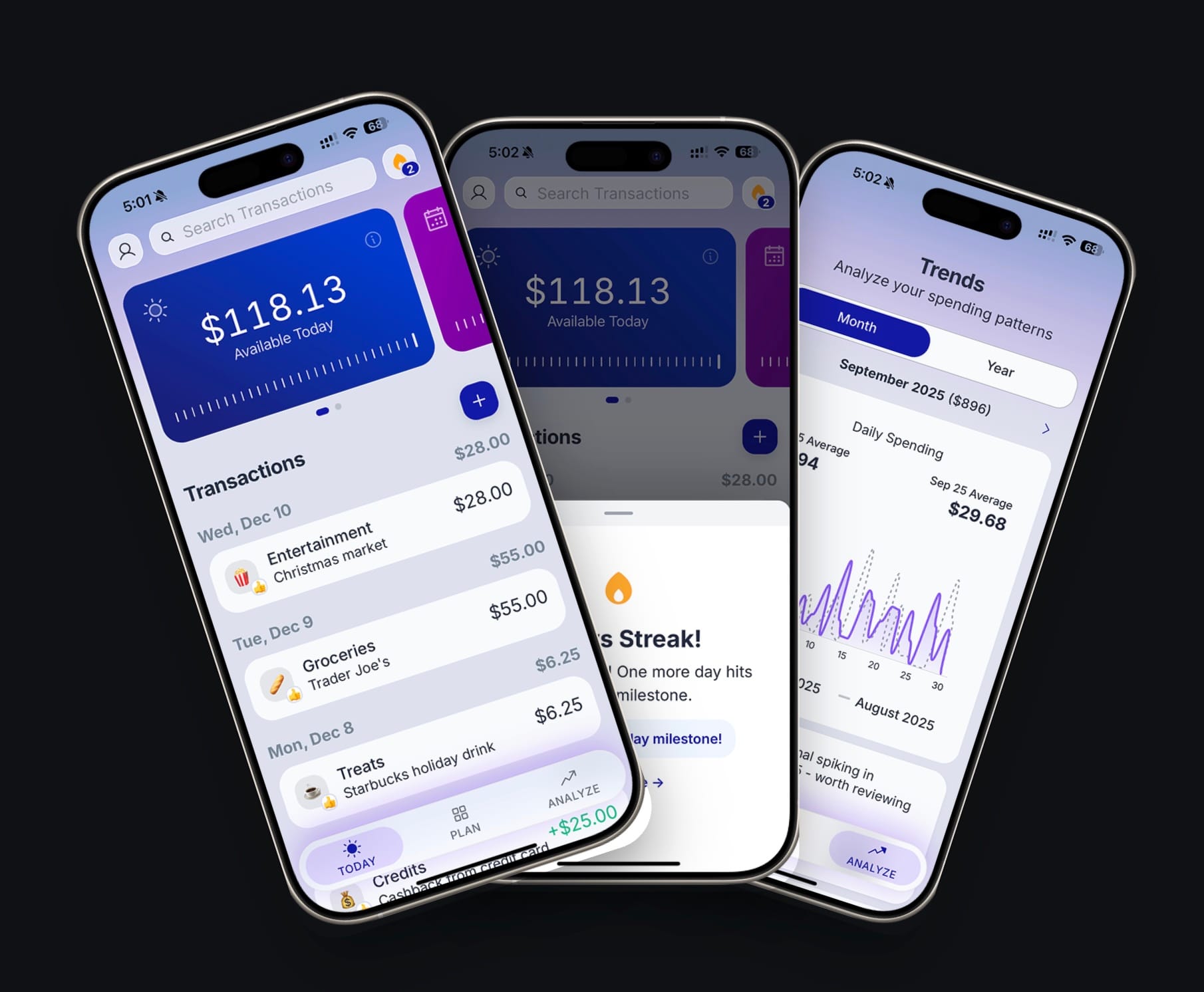
You plan income, bills, subscriptions, one-time commitments, and your savings amount. BentoMoney accounts for those first, then calculates Available Today. You can view the same plan across daily, weekly, and monthly timeframes.
After that, you log flexible purchases as they happen. Buy lunch, enter lunch. Buy groceries, enter groceries. Available Today changes immediately because that purchase affected what you can still spend.
You do not need to enter the mortgage again. You do not need to add the transfer that pays a credit card when the original purchases were already captured. You do not need a duplicate subscription entry when that subscription is already part of the plan.
This approach is not designed for perfect account reconciliation. It is designed for on-the-go money management and one practical question:
What can I safely spend today?
Your bank tells you what you have. BentoMoney tells you what you can spend today.
Manual entry still matters, but the friction has a purpose. It keeps you aware of the purchases you can control. The app handles the repeated math.
For people who prefer this approach, budget apps that do not connect to your bank can keep money management direct without importing every movement from every account.
BentoMoney is an iPhone spending tracker with a daily budget calculator. There is no bank connection or account, and your data stays on your device.
BentoMoney - Spending Tracker & Budget
Try a system that accounts for the important things without asking you to enter them twice.
What to remember
- Account for every important cost, but do not record the same obligation twice.
- Put predictable items such as housing, bills, and subscriptions into the plan first.
- Log purchases that change your day-to-day spending power.
- Watch for double-counting when imports include costs already covered by fixed expenses.
- Use a complete ledger for reconciliation, accounting, or a detailed financial record.
- Keep daily tracking focused enough that you will continue doing it.
- Review the plan when amounts change instead of repeatedly entering the same obligation.
- Plan predictable costs once. Track the spending that changes your decisions.